 ArrowOut
A clear path.
A thoughtful tap.
Untangle the arrows, clear the board, and find your flow. One small puzzle at a time.
Coming to iPhone & iPad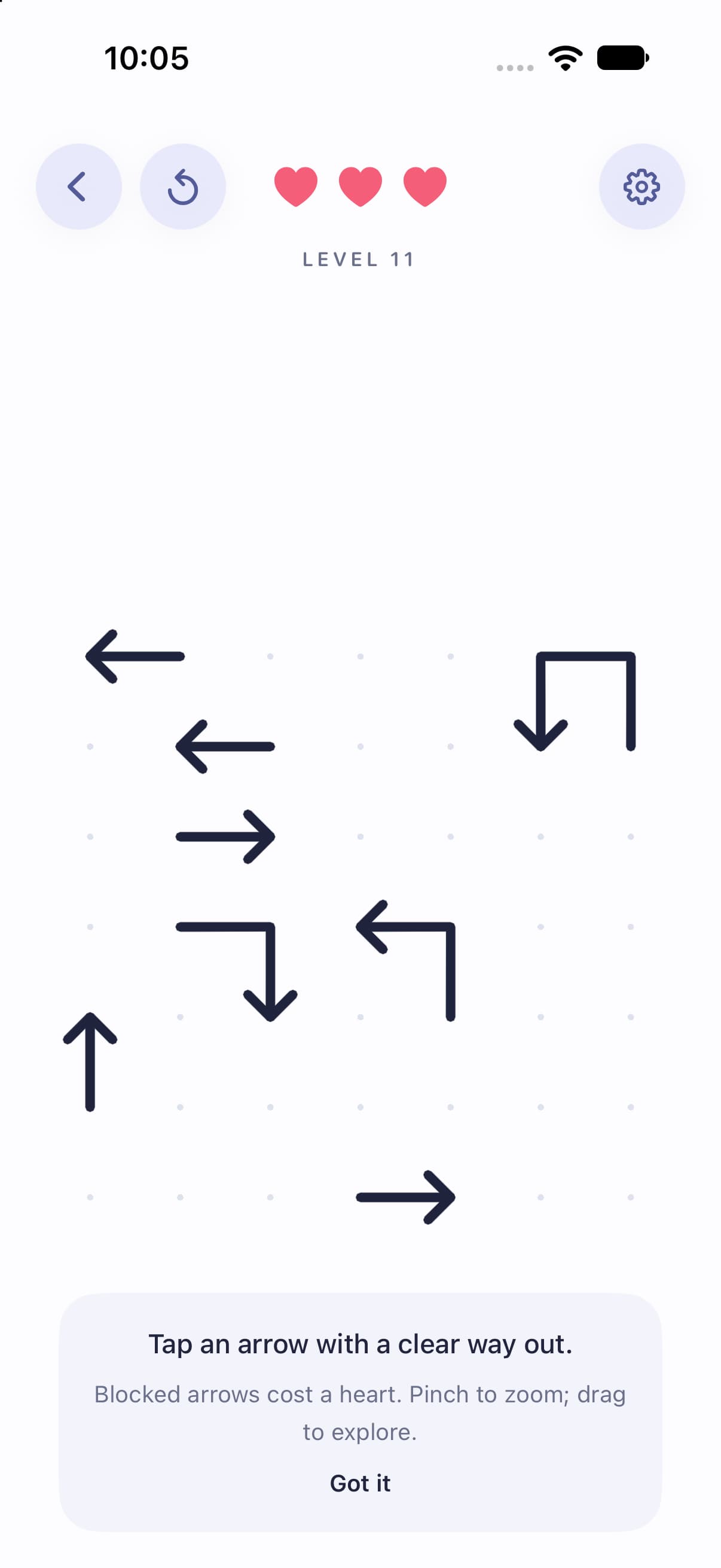
Look closer.
There’s a way out.
Every arrow has a direction. The challenge is finding the order that lets them all escape.
- Find an open path.Tap an arrow with a clear exit to send it off the board.
- Make room for the next move.A blocked move costs one of your three hearts. Reset freely and try a new approach.
- Take a little help.Use the lightbulb to highlight a legal move. Pinch to zoom and pan with two fingers.
A little space to think.
Save your progress, come back to your current puzzle, or revisit completed boards. Choose light or dark mode, adjust sound and vibration, and play at your own pace.
With iCloud available, campaign progress can sync across your devices. Game Center is optional. Your bundled puzzles stay playable offline.
A few things to know.
Where can I download ArrowOut?
ArrowOut is being prepared for iPhone and iPad. We’ll add the App Store link here when it’s available.
Can I play offline?
Yes, the 90 bundled puzzles and local progress saving work offline. Purchases, ads, iCloud, Game Center, and additional puzzle downloads require an internet connection.
Does ArrowOut offer in-app purchases?
The game includes an optional one-time Remove Ads purchase. Availability and the localized price will be shown by Apple before purchase. There is a Restore purchases option in Settings.
Where can I get help?
Visit ArrowOut Help for gameplay, saved progress, and purchase support.