 ArrowOut
A clear path.
A thoughtful tap.
Find the right order to let every arrow escape. Play 400 campaign puzzles offline, save your progress, and take on a Daily Challenge.
Available for iPhone & iPad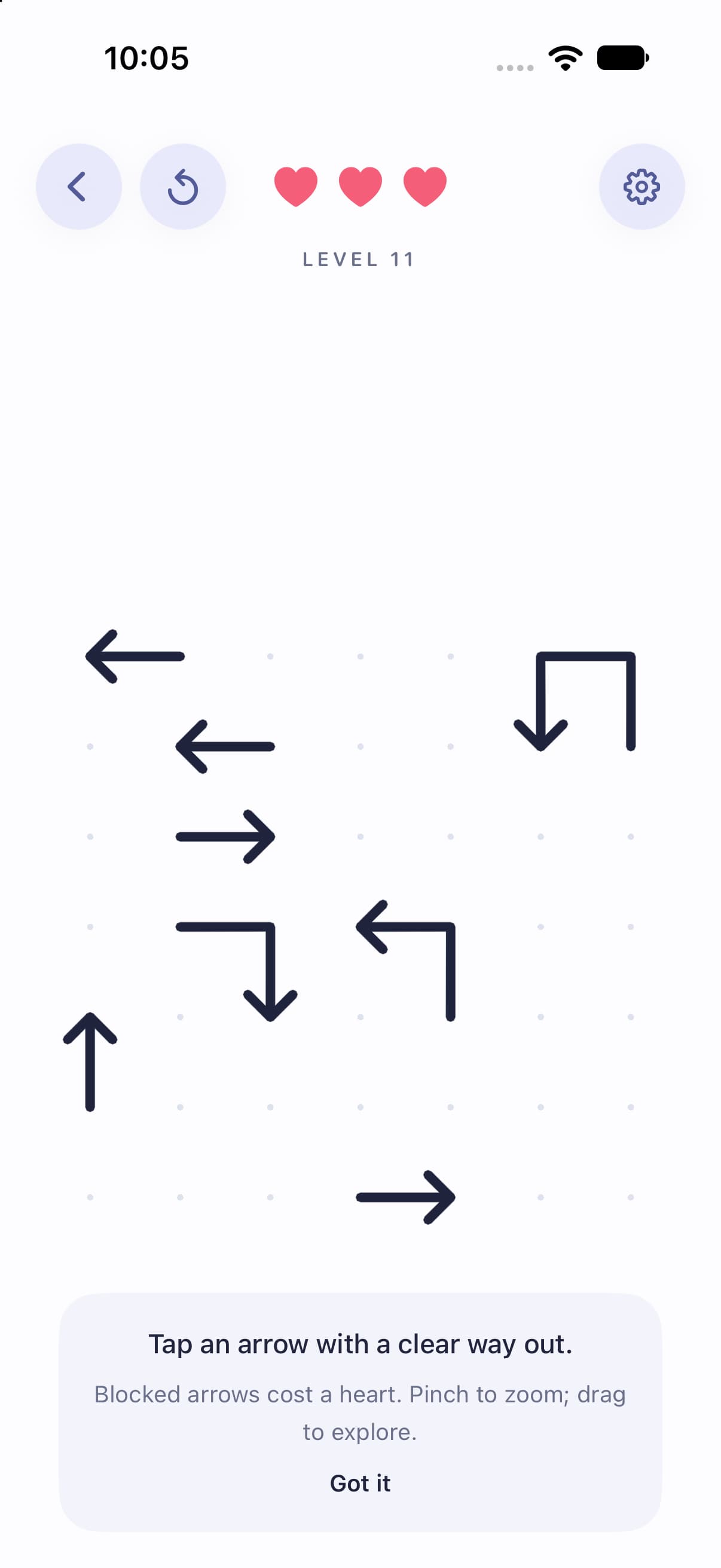
Look closer.
There’s a way out.
Every arrow has a direction. The challenge is finding the order that lets them all escape.
- Find an open path.Tap an arrow with a clear exit to send it off the board.
- Make room for the next move.A blocked move costs one of your three hearts. Reset freely and try a new approach.
- Take a little help.Use the lightbulb to highlight a legal move. Pinch to zoom and drag to pan.
A little space to think.
Save your progress, come back to your current puzzle, or revisit completed boards. Choose light or dark mode, adjust sound and vibration, and play at your own pace.
With iCloud available, campaign progress can sync across your devices. Game Center is optional. Your bundled puzzles stay playable offline.
A few things to know.
Where can I download ArrowOut?
Download ArrowOut for iPhone and iPad from the App Store.
Can I play offline?
Yes. All 400 bundled campaign puzzles and local progress saving work offline. Purchases, ads, iCloud, Game Center, and additional puzzle downloads require an internet connection.
Does ArrowOut offer in-app purchases?
ArrowOut includes ads and an optional one-time Remove Ads purchase. Availability and the localized price will be shown by Apple before purchase. There is a Restore purchases option in Settings.
Where can I get help?
Visit ArrowOut Help for gameplay, saved progress, and purchase support.