Package & build cachesIncluded without activation
Clear the files your tools can rebuild.
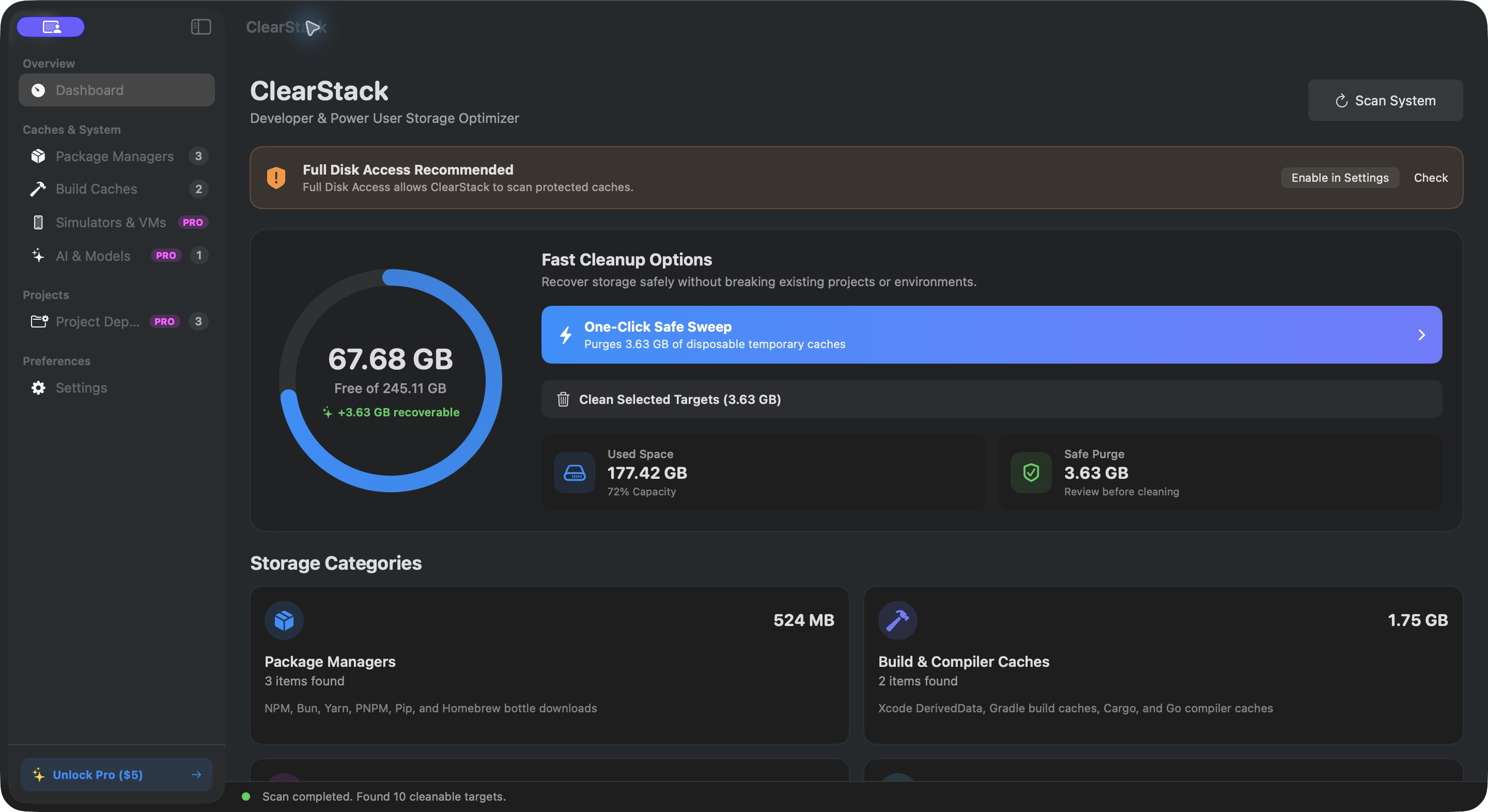
Find npm, Bun, Yarn, Homebrew, Gradle, Cargo, and Xcode caches in one place. Close tools using these files before cleaning.
 ClearStack
A little less clutter. A lot more room.
Find the caches, forgotten dependencies, and local models taking up space on your Mac. Review what goes. Keep what matters.
One-time Pro license · Checkout and downloads through Gumroad
Scans stay on your Mac.No uploaded scan results or analytics.
Review before removing.Inspect paths and protect active projects.
Native, through and through.Built with Swift and SwiftUI for macOS.
From finding the files to choosing what goes, you stay in control.
See the space used by package caches, build outputs, dependencies, and local AI models.
Scanning does not delete files.Inspect paths in Finder, select what you no longer need, and protect projects you want to keep.
Your selections stay in your control.Move selected folders to Trash, or explicitly confirm permanent deletion. Reinstall dependencies when you need them again.
Empty Trash separately to free space.Look beyond everyday downloads to the files your developer stack leaves behind.
Find npm, Bun, Yarn, Homebrew, Gradle, Cargo, and Xcode caches in one place. Close tools using these files before cleaning.
Review node_modules, Next.js caches, and recognized Rust build folders. Copy a reinstall command for when you return.
Review Ollama models, Hugging Face weights, and Claude VM bundles. Remove assets only when you no longer need them.
Exclude projects and their subfolders from discovery. Reveal a target in Finder before deciding what to remove.
Core scanning and cache cleanup work without activation. Pro adds deeper cleanup for projects and local AI models.
| What you can do | Free | Pro |
|---|---|---|
| Scan caches, dependencies & models | Included | Included |
| Clean package & build caches | Included | Included |
| Protect projects & reveal paths | Included | Included |
| Menu bar storage display | Included | Included |
| Clean project dependencies | — | Included |
| Clean local AI model folders | — | Included |
Already own ClearStack? Download updates from your Gumroad receipt or Library.
Purchases and downloads are handled by Gumroad. Already purchased? Get the latest release from your Gumroad receipt or Library.
The app supports scanning, package and build cache cleanup, project protection, and the menu bar display without activation. A $5 one-time license unlocks project dependency and AI model cleanup. All downloads are provided through Gumroad.
Scans and cleanup run on your Mac, without uploading scan results or collecting analytics. Update checks contact BuildrStudio. Pro activation and verification at each launch contact Gumroad, so enabling Pro after launch requires internet access.
Move to Trash is the default. Files remain in Trash until you empty it, and disk space is not freed until then. Permanent deletion requires confirmation and cannot be undone. Review paths and close tools using those files before cleaning.
Project discovery looks for recognized dependency and build folders, including node_modules, .next/cache, and Rust target directories. Protect projects you want excluded. Dependencies may need to be downloaded or rebuilt afterward. Docker disk deletion and simulator resets are disabled.
ClearStack 1.0.1 supports macOS 14 or later on Apple Silicon and Intel. The distributed app is Developer ID signed and notarized by Apple.
Need a hand? Contact support.